Creating an API key
API keys are created and managed only in the Talano app or web panel. You cannot create, list or revoke keys through the API.
Requirements
- Completed KYC (full identity verification) on your Talano account.
- The public API enabled for your account.
- At most 5 active keys per user. Expired and revoked keys don't count.
- (Recommended) A static public IP for the server your code runs on, so you can restrict the key to it.
1. Open the API keys section
In the Talano app, go to Profile → API keys and tap Create new key.
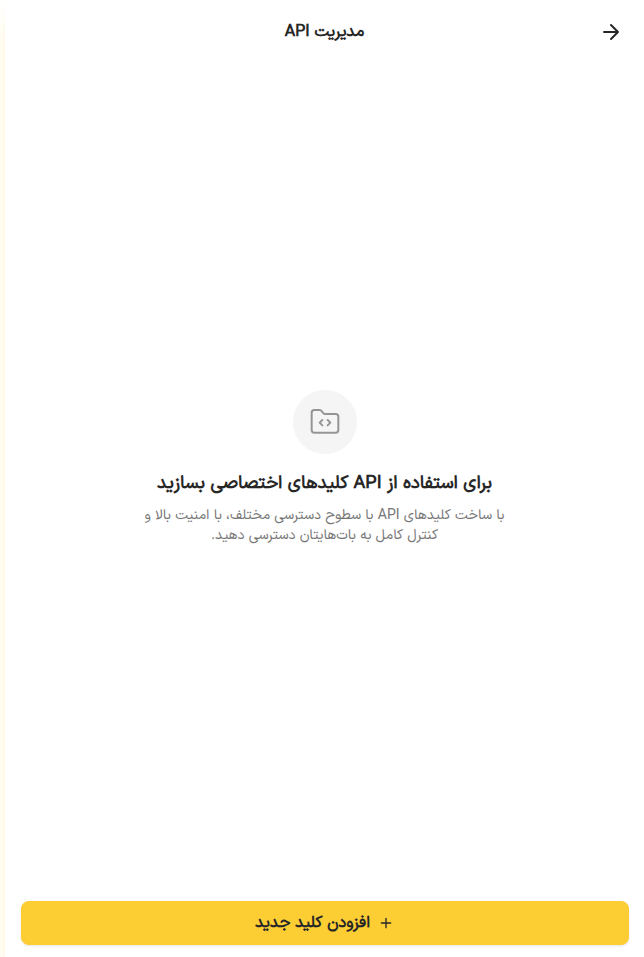
2. Fill in the form
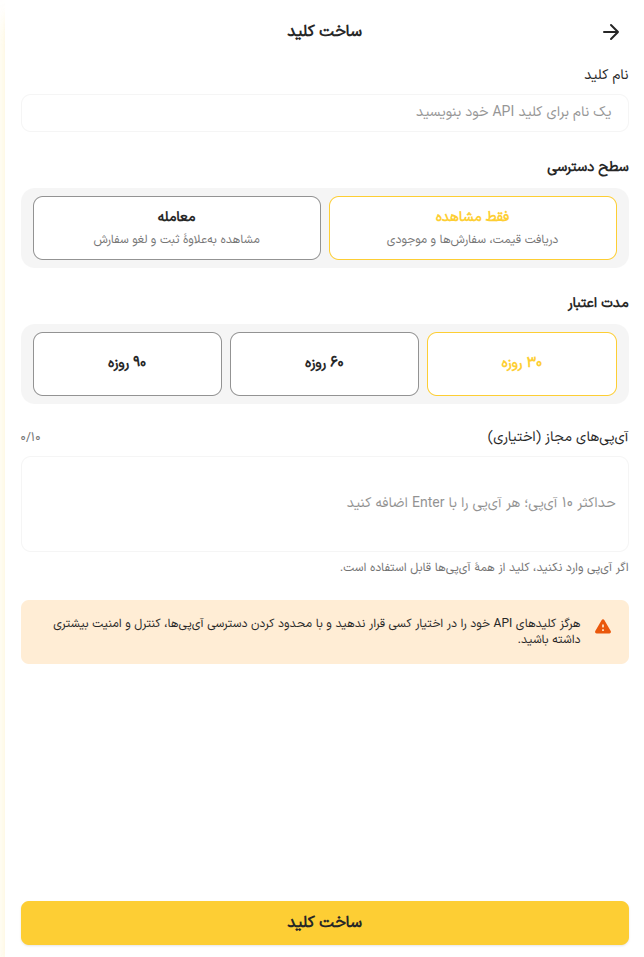
| Field | Rules |
|---|---|
| Name | 1–64 characters, for your own reference (e.g. my-bot) |
| Allowed IPs | Optional. 0–10 exact IPv4 or IPv6 addresses (no ranges or CIDR). If set, requests from any other IP get ip_not_allowed. If empty, the key works from any IP |
| Validity | 30, 60 or 90 days |
| Access level | read (read only) or trade (read + trade) |
If you are only building a dashboard or reports, create a read key. Create a trade key only for code that actually places orders.
trade keyA key without an IP allow-list works from anywhere on the internet; if it leaks, anyone can trade with it. For trade keys, always enter your server's public IP.
3. Confirm with a one-time code
A one-time code (OTP) is sent to you by SMS. Enter it.

4. Copy the key: this is the only time
The full key is shown once. Copy it right away and store it somewhere safe (for example a server environment variable or a secret manager). Talano stores only a hash of the key and can never show it to you again.
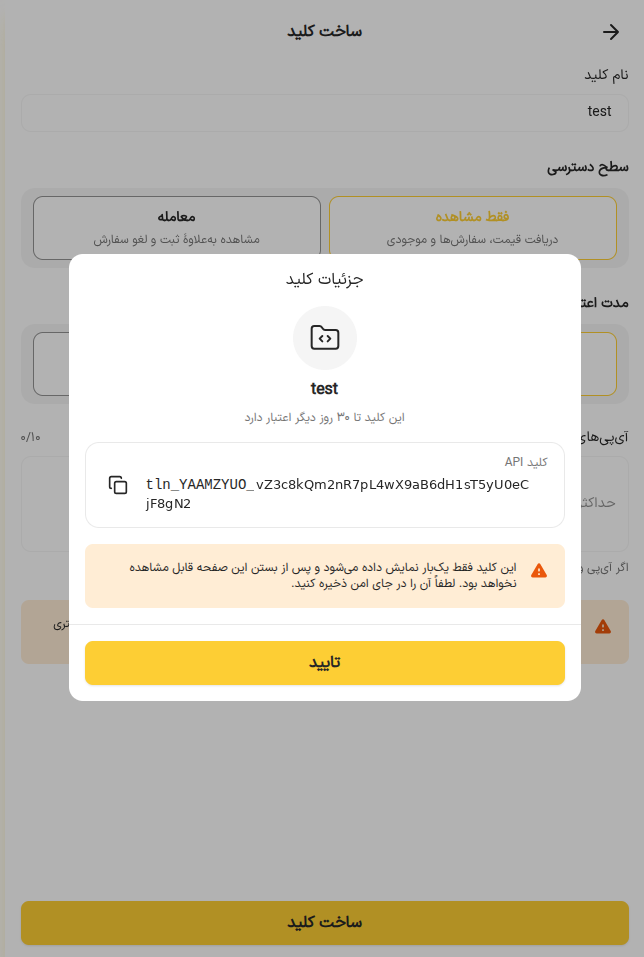
Key format:
tln_<prefix>_<secret>
tln_7KQ2M9XA_vZ3c8...   prefix = 8 chars [A-Z0-9], secret = 40 chars [A-Za-z0-9]
After creation you receive an SMS and an in-app notification. If you get this message but did not create a key, change your password immediately (this revokes all keys) and contact support.
5. The key list
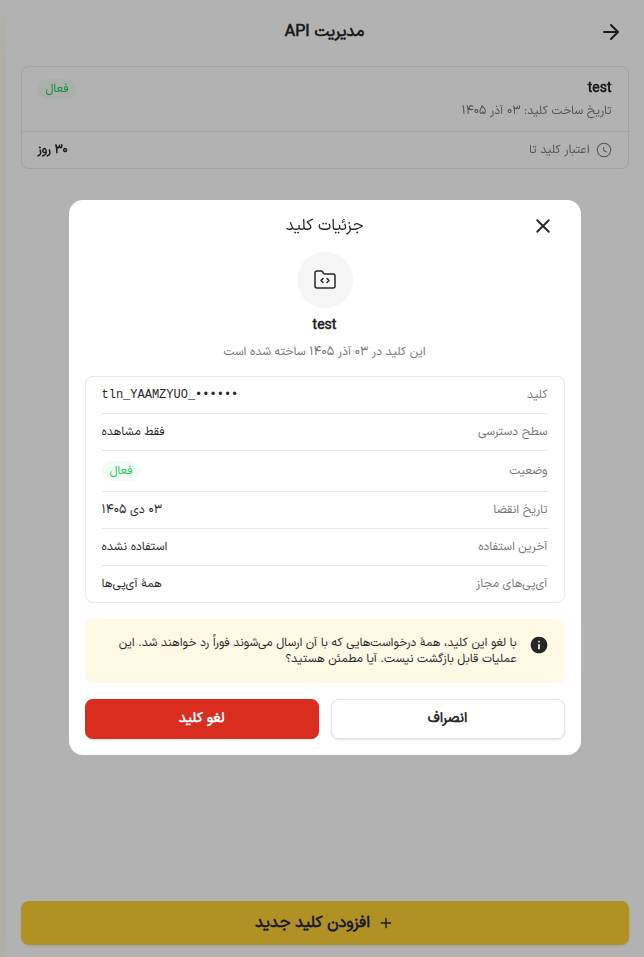
The key list shows only the key prefix (e.g. tln_7KQ2M9XA), plus name, access level, allowed IPs, status, created at, expires at and last used at (with IP).
| Status | Meaning |
|---|---|
active | The key works |
expired | Its validity ended (401 api_key_expired) |
revoked | It was revoked (401 api_key_revoked) |
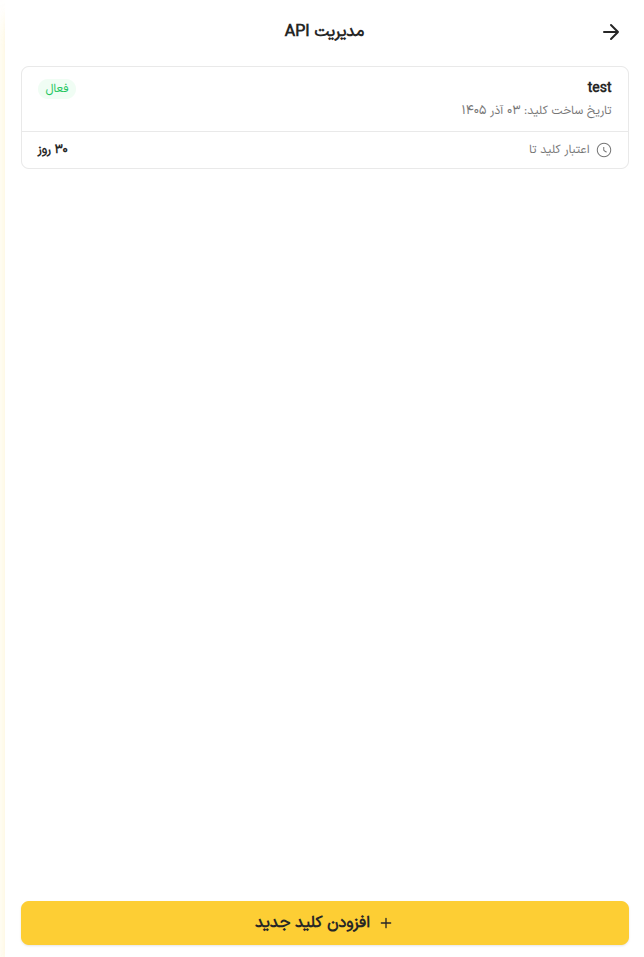
6. Revoking a key
Each key has a Revoke action. A revoked key stops working immediately and later requests get 401 api_key_revoked. Revoking cannot be undone; create a new key to continue.
When are keys revoked automatically?
- When you change or reset your password, all your keys are revoked.
- When the key's validity ends (
401 api_key_expired). - Talano support can revoke a key, block API access for a user (
403 api_blocked) or turn the public API off temporarily (403 api_disabled). - If your account's KYC is no longer valid, your keys stop working until it is restored (
403 kyc_required).
Next: Authentication.